
How to set up IPTV Smarters PRO on LG TV
A step-by-step guide to watch IPTVin IPTV with IPTV Smarters PRO on your LG TV: install the app, sign in with your login details and start streaming.
Follow the steps
- 1
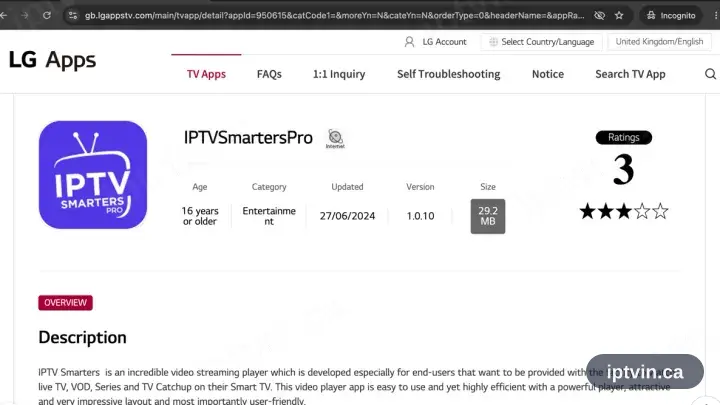
Locate IPTV Smarters in the LG Content Store
Press Home on the TV, open the LG Content Store and search IPTV Smarters.
- 2
Install, then open the app
Choose Install, wait for it to complete, then launch IPTV Smarters Pro.
- 3
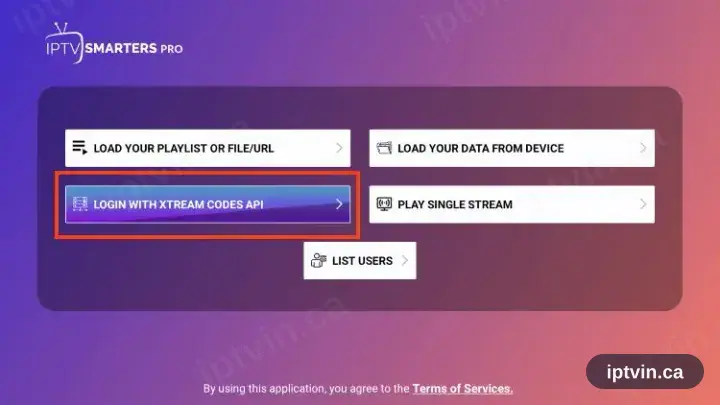
Select “Login with Xtream Codes API”
The welcome screen offers two methods. Take the Xtream Codes API option; ignore the M3U one.
- 4
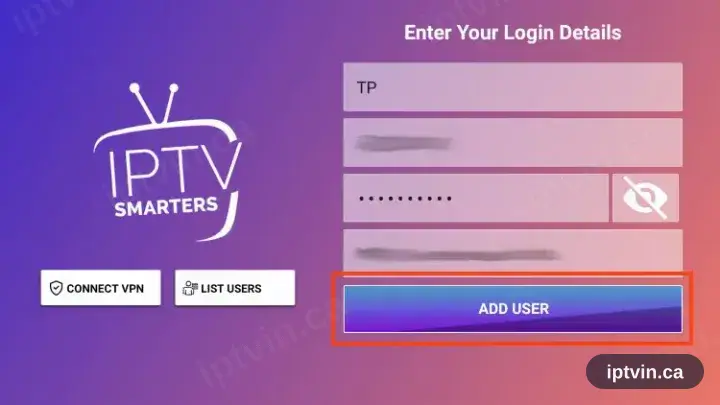
Fill in the three fields
Copy the server URL, username and password from your activation email. All three are case sensitive.
- 5
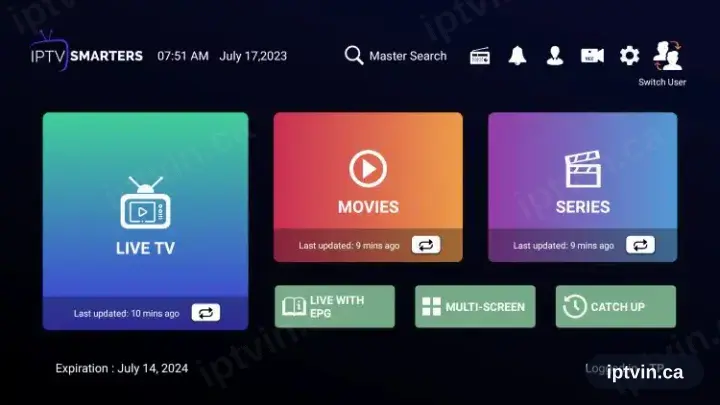
Playback time
The channel list, films and series load in. Select a channel to begin playback.
Installing IPTV Smarters PRO on LG TV: what is different
LG TVs run webOS. Press Home on the Magic Remote to open the LG Content Store, then search for IPTV Smarters PRO.
webOS has no sideloading on retail sets, so the LG Content Store is the only route. If IPTV Smarters PRO is missing there, use another app from the device page.
Installed apps land at the end of the Home launcher bar. Drag IPTV Smarters PRO to the front so it is one click away on match nights.
Ready to watch, or stuck on a step?
Start with a trial if you do not have a login yet. If something is not working, our team can help in English or French.