
How to set up Smarters Player Lite on iPhone / iPad
A step-by-step guide to watch IPTVin IPTV with Smarters Player Lite on your iPhone / iPad: install the app, sign in with your login details and start streaming.
Follow the steps
- 1
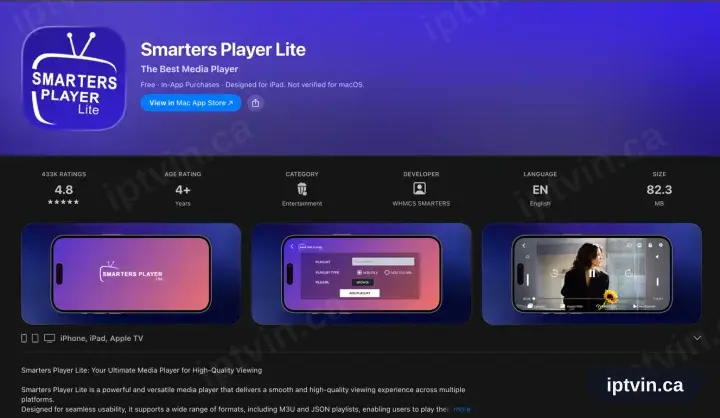
Locate Smarters Player Lite in the App Store
On the iPhone or iPad open the App Store, tap Search and enter Smarters Player Lite. Nothing needs buying to watch with it.
- 2
Install, then open the app
Tap Get, wait for it to complete, then launch Smarters Player Lite.
- 3
Select “Login with Xtream Codes API”
The welcome screen offers two methods. Take the Xtream Codes API option; ignore the M3U one.
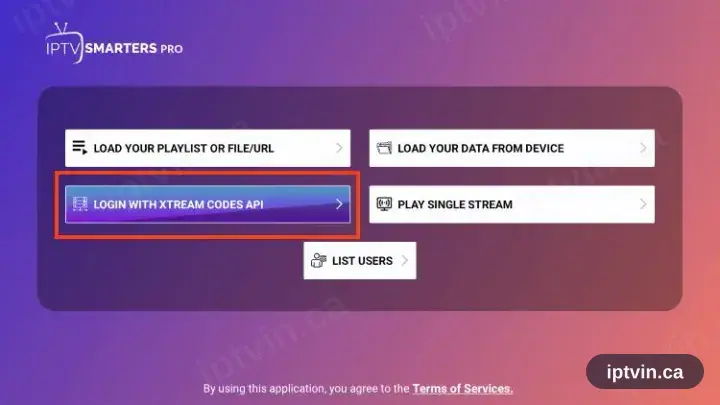
Should your build open straight onto a playlist screen, take the M3U URL option and paste the M3U link from your account. The result is identical.
- 4
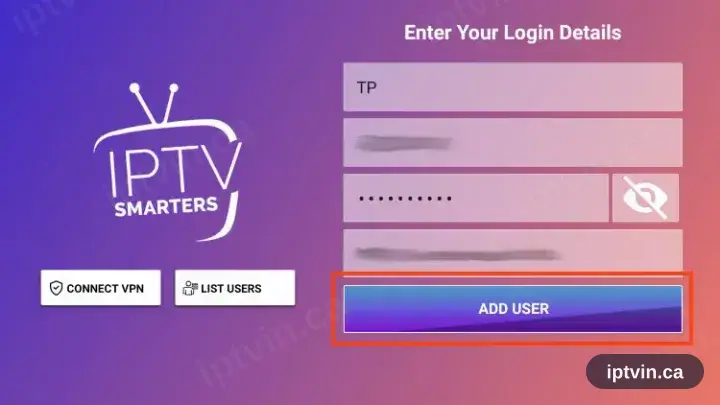
Fill in the three fields
Copy the server URL, username and password from your account on our website. All three are case sensitive.
- 5
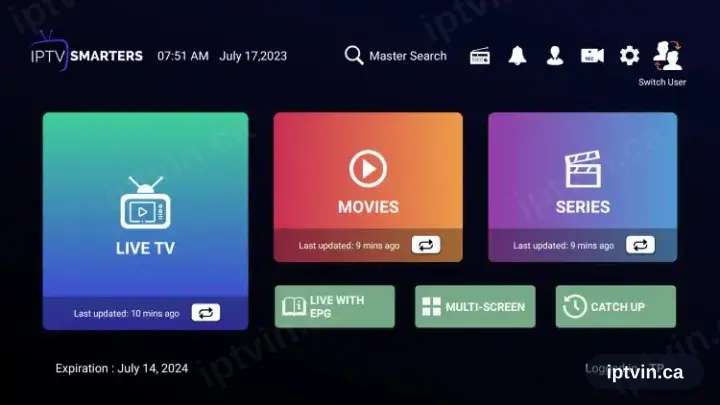
Playback time
The channel list, films and series load in. Select a channel to begin playback.
Installing Smarters Player Lite on iPhone / iPad: what is different
On iPhone and iPad, Smarters Player Lite installs from the iOS App Store — the same Apple ID you already use, no extra account.
iOS players are often a one-off paid download rather than a subscription. That charge is Apple's, separate from your iPhone / iPad playback.
Turn off Low Power Mode before a long match: iOS throttles background networking, which shows up as buffering mid-stream.
Helpful guides
IPTV Smarters Pro Not Working? Fixes for Login, Loading, Playback
IPTV Smarters Pro not working? Fix login errors, endless loading, playback freezes and an empty guide, with notes for Fire TV, Samsung, LG and Apple devices.
Best IPTV App for Firestick: TiviMate vs IPTV Smarters vs HotPlayer
The best IPTV app for Firestick? TiviMate, IPTV Smarters Pro and HotPlayer compared on TV guide, catch-up, price model and setup, plus Android TV and Apple TV.
How to Get IPTV in Canada: 5 Steps From Plan to First Channel
How to get IPTV in Canada in five steps: check your internet, choose a device that can run a player app, test with a trial, pay safely, then install and log in.
Ready to watch, or stuck on a step?
Start with a trial if you do not have a login yet. If something is not working, our team can help in English or French.